Screen-free audio stories for kids
Audio adventures your child listens to instead of watching: a voice for each character, music and sound effects, and the screen can stay dark.
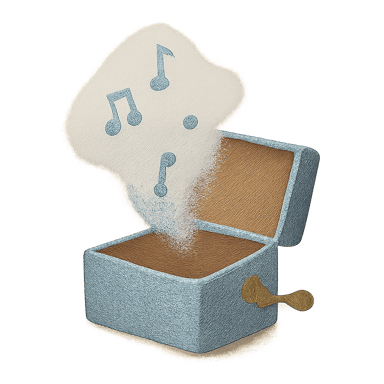
An audio story asks children to picture the scene themselves. Keoma stories are made to be listened to: each character has its own voice, and music and sound effects carry the action, so the story works without a single picture.
- Duration
- 5–15 min
- When
- Anytime
Getting started
- Choose an Adventurous or Funny mood for active moments, and Calm when it is time to wind down.
- Let your child choose the hero, the other characters and the world.
- Ask a question when the story ends: what would you have done in the hero's place?
Story characters


Story worlds
Life lessons
Recommended moods
- Adventurous
- Funny
- Calm
- Magical
Questions parents ask
Is Keoma really screen-free?
Keoma runs on a phone, tablet or computer, so a device is needed to start a story. Once it plays, one tap darkens the screen, and in kids mode your child only sees the stories you allow. Screen-light, then, rather than device-free.
How is it different from a Yoto or a Lunii?
Those are dedicated audio players with ready-made cards or stories. Keoma needs no extra device: it writes new stories for your child on the phone or tablet you already have. Our comparison goes through the differences, prices included.
Keep exploring
- Screen-Free Car Rides: 12 Activities That Actually WorkLong drives don't have to mean iPad zombies. Here are 12 screen-free activities — including audio stories — that keep kids engaged from 0 to 6 hours.
- Bedtime stories to listen to, written for your child’s ageAudio bedtime stories for ages 2 to 10: what helps a child fall asleep, by age and by theme.
- An AI bedtime story generator that makes real audio storiesHow Keoma turns a few choices into a produced audio story, and what it won’t do.
- Keoma vs Lunii vs Yoto vs Oscar Stories: an honest comparisonLooking for a Yoto or Lunii alternative? Keoma, Lunii, Yoto and Oscar Stories compared on personalization, sound, screens, AI and yearly cost.
- The best personalized bedtime audio story apps and players (2026)An honest 2026 comparison of personalized bedtime audio story apps and players: Keoma, Lunii, Yoto, Toniebox, Merlin, Oscar Stories, Moonbeam and Gramms.
Other moments for a story
Hear what a Keoma story sounds like
Listen to real Keoma stories, with a narrator, character voices, music and sound effects. No account needed. Then see the plans to make new ones for your child.